
Development Identity Provider
pw dev can run a local OpenID Provider so an OIDC login
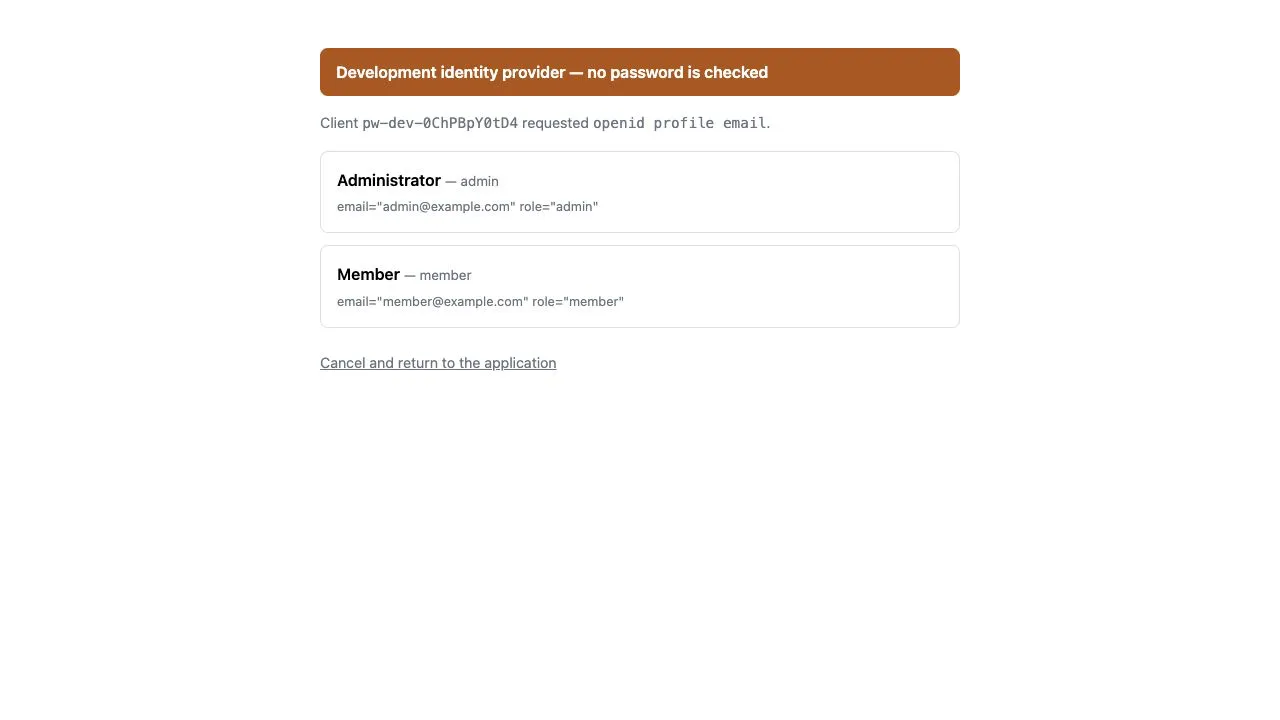
works before any real identity provider exists. It signs you in by letting you
pick a user from a list — no password is checked, which is why it never runs
outside development.
[dev.idp]enabled = true# config = "devidp.toml" # roster file, relative to the project# port = 0 # 0 reserves an available loopback portThe roster lists the selectable users and the claims each one receives:
[users.admin]display_name = "Administrator"extra_scopes = ["admin"][users.admin.claims]email = "admin@example.com"role = "admin"
[users.guest]display_name = "Guest User"[users.guest.claims]email = "guest@example.com"
No client registration or issuer copying is needed. pw dev creates an
ephemeral client for the run and passes the application
AUTH_OIDC_ISSUERAUTH_OIDC_CLIENT_IDAUTH_OIDC_CLIENT_SECRET
as environment variables. Because environment values outrank TOML, no provider credential needs to enter a committed config file. Values you exported yourself are preserved, while the generated client secret changes per run and is never printed.
Editing the roster reloads it in place: the issuer and the credentials the running application already holds stay valid, so no restart is needed.
The provider implements Authorization Code with mandatory S256 PKCE and RFC 8628 Device Authorization, as well as discovery, JWKS, RS256 ID Tokens, UserInfo, and RP-initiated logout. A device-only public client can be added to the same roster without embedding a client secret:
[clients.sensor]grants = ["device_code"]valid_scopes = ["telemetry"]The device receives a user code and verification URI, then polls while the
developer approves or denies the request in a browser and selects a roster
user. Refresh tokens, the Client Credentials Grant, and consent screens are
deliberately absent. Client Credentials is for a client acting on its own
behalf, without an end-user, so it is not a substitute for Device Authorization.
pw build refuses to build an application that imports the provider. See
contrib/devidp.
For tests, testutil.WithIdentityProvider starts the same provider and
WithLoginUser pre-selects the subject, so a login completes without a browser.
See Testing.